
Our Blog.
Motion vs Sunsama (2026): Which Daily Planning App Is Better for Focused Work?
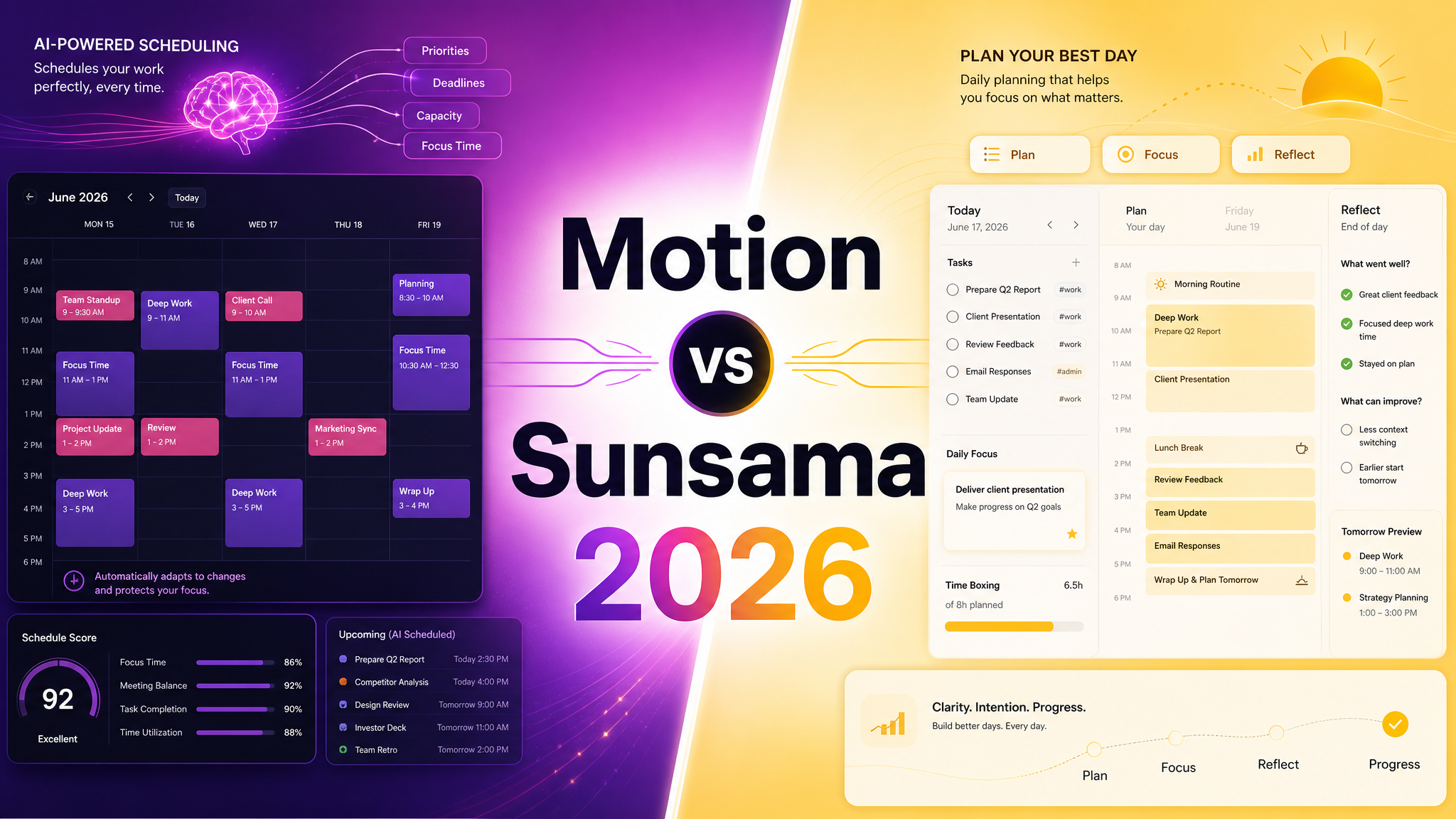
If you’re comparing Motion vs Sunsama in 2026, you’re usually not looking for a basic to-do list. You’re trying to decide whether you want an AI-heavy scheduling system that actively rearranges your work, or a calmer daily planning tool built around intentional focus and realistic workload design.
Motion is usually the better fit for people who want aggressive automation, AI scheduling, and a more all-in-one planning system for tasks, meetings, docs, and team visibility. Sunsama is usually the better fit for professionals who want a deliberate daily planning ritual, strong integrations, and a more thoughtful approach to workload management without turning every decision over to the machine.
Here is the practical buyer’s comparison.
Quick Comparison Summary
| Feature | Motion | Sunsama |
|---|---|---|
| Best For | Users who want AI to actively schedule and reschedule their work | Users who want a calmer daily planner with intentional manual control |
| Pricing Snapshot | Pro AI at $19/seat/month annually, Business AI at $29/seat/month | Pro at $17/month billed yearly or $22/month billed monthly |
| Core Strength | Automation, dynamic scheduling, and broader planning surface | Daily planning discipline, focus, and sustainable workload design |
| Team Orientation | Stronger team planning story with capacity planning, dashboards, permissions, and central billing on higher tiers | Works with teams, but feels more personal and individual-first |
| Typical Winner | People who want software to optimize their calendar for them | People who want more focus without losing control of their day |
Pricing Comparison
These tools are priced much closer than many buyers expect, so the real decision comes down to working style.
| Tool | Current Pricing Snapshot |
|---|---|
| Motion | Motion Motion publicly lists Pro AI at $19 per seat/month and Business AI at $29 per seat/month on annual billing. The positioning is explicitly AI-first, with AI chat, AI projects and tasks, AI calendar and meetings, AI docs and notes, and AI task planning included in the product story. |
| Sunsama | Sunsama Sunsama publicly lists a single Pro plan at $17/month billed yearly or $22/month billed monthly, plus enterprise pricing on request. Its pricing manifesto emphasizes a premium, work-focused product rather than a free-forever productivity app. |
If you only compare prices, Sunsama has a slight edge for solo users. If you compare breadth and automation, Motion often justifies the premium for users who want the system to do more planning work for them.
Motion Overview
Motion is built around the idea that your calendar should not be static. The product pushes hard on AI scheduling, automated task planning, AI docs, AI chat, and team planning features. That makes it attractive to people who want software to continuously optimize their workload instead of just storing tasks in lists.
Motion is especially compelling for founders, operators, managers, and teams that live by the calendar and care about reducing planning overhead. The tradeoff is that Motion can feel more forceful. If you do not want a tool rearranging your day, its biggest strength can start to feel like friction.
Sunsama Overview
Sunsama takes a more reflective approach. It is less about algorithmic control and more about helping you plan your day deliberately. Its pricing page and manifesto lean into calm productivity, sustainable work, and a premium product for serious professionals rather than mass-market task tracking.
Sunsama is often loved by people who already use tools like Asana, ClickUp, Gmail, Jira, Linear, Notion, or Todoist and want one daily command center that pulls work together without replacing their whole stack. It is structured, but it still feels human.
Head-to-Head: Key Differences
Automation
Motion wins. This is the whole point of the product. If you want tasks automatically slotted into your calendar and rescheduled as priorities shift, Motion is the stronger product.
Intentional Daily Planning
Sunsama wins. It is built around a calmer planning ritual that helps you choose what matters instead of handing the entire day over to automation.
Team Features
Motion wins for teams. Its higher-tier positioning includes capacity planning, dashboards, reports, permissions, access control, and central billing, which makes it easier to standardize across groups.
Solo Professional Fit
Sunsama often wins for solo professionals and knowledge workers who want structure without over-automation. It feels more opinionated about healthy work, not just efficient work.
Value for AI-Heavy Users
Motion usually wins if you genuinely want AI doing more than note-taking. Its product is explicitly built around AI planning and orchestration rather than lightweight assistance.
Calmness and UX Feel
Sunsama usually feels better if you want your planning tool to reduce noise, not add more system behavior to manage. Motion is more ambitious. Sunsama is more grounded.
Who Should Choose Motion?
Choose Motion if: you want AI to actively build your day, auto-schedule tasks, and support more advanced team planning with stronger operational visibility.
Who Should Choose Sunsama?
Choose Sunsama if: you want a thoughtful daily planner that pulls together tasks and calendars without overwhelming you with automation or turning your workflow into an AI experiment.
The Verdict
For buyers who want maximum automation in 2026, Motion is usually the better choice because it does more planning work for you and offers a broader AI-led operating model. For professionals who want a calmer, more intentional workday, Sunsama is usually the better choice because it balances structure with control. Motion wins on automation. Sunsama wins on focus.
Ready to Choose?
Try Motion → | Try Sunsama →
DrComps may earn a commission through affiliate links at no extra cost to you.
Try Motion → | Try Sunsama →
DrComps may earn a commission through affiliate links at no extra cost to you.
Comments (0)